Sub-Organizations
A sub-organization is a separate workspace inside your account. Each one has its own agents, products, findings and reports, and the people in it see only their own.
The usual reason to want them is one workspace per client, or one per business unit that should not see the others.
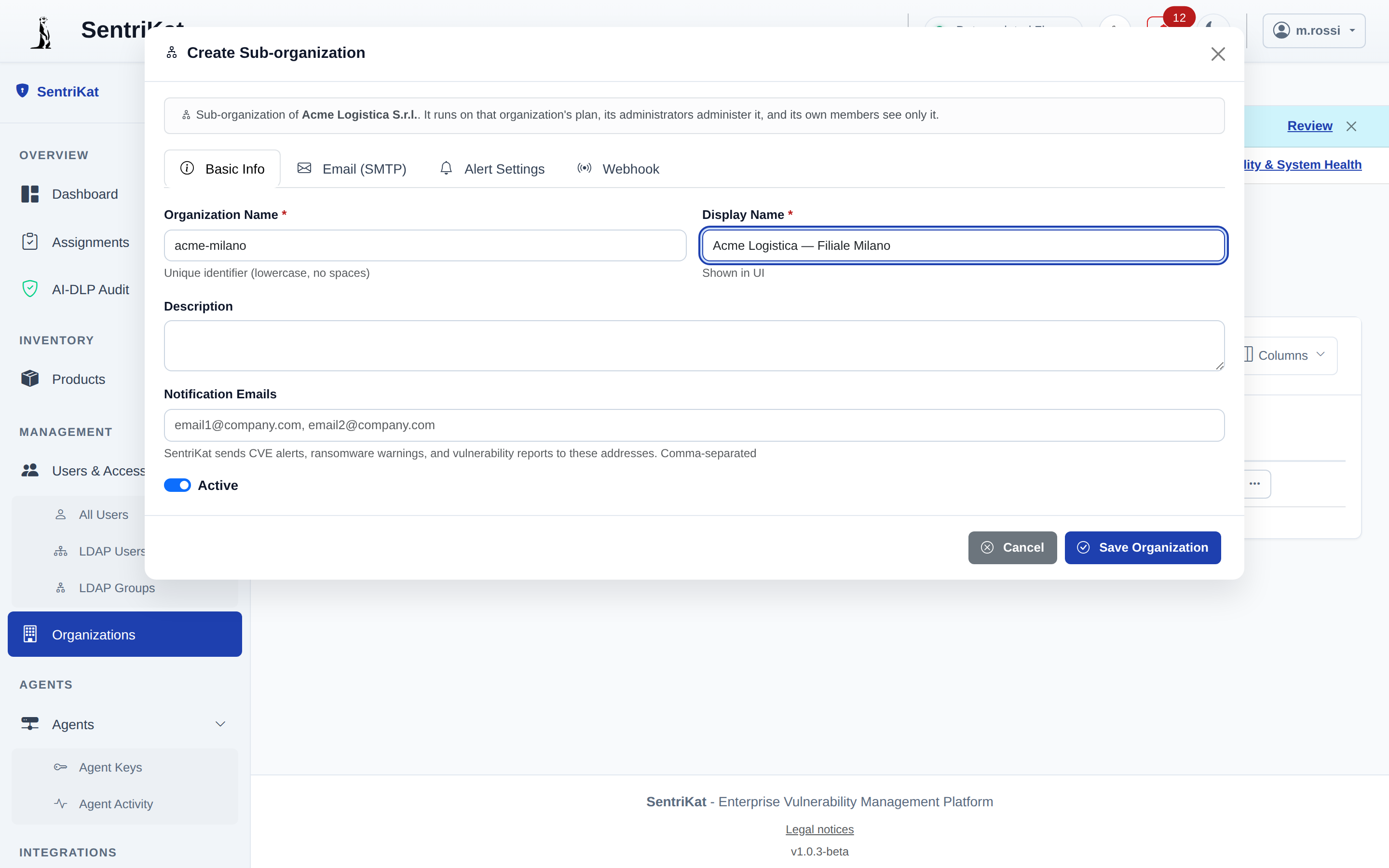
Creating one
Management → Organizations → Create sub-organization.
Available to the organization administrator of the account. If your plan does not include it, the page says so in place of the button.
What your plan allows
The limit counts your own organization plus its sub-organizations, not the sub-organizations alone.
| Plan | Organizations |
|---|---|
| Free, Starter, Pro | 1, no sub-organizations |
| Business | 10, so your own plus nine |
| Enterprise | Unlimited |
Self-hosted installations need a Professional licence.
One level, and only one
A sub-organization cannot have sub-organizations of its own. The tree is your account plus its children, and that is the whole shape.
Who sees what
| Who | Sees |
|---|---|
| Administrator of the parent | Everything: users, settings, products, and every sub-organization |
| Member of a sub-organization | That sub-organization only |
| Manager or user of the parent | The parent only. Nothing is inherited downwards |
The last row is the one worth reading twice. Administering the parent carries down to the children; being a manager in the parent does not.
Switching between them
An administrator of the parent switches workspaces from the organization selector.
The MSP console, which shows every organization side by side, appears on its own as soon as your account has two. There is nothing to enable.
Billing and quotas
A sub-organization has no subscription of its own. One plan covers the whole tree:
- features come from your plan
- quotas (users, agents, products) are counted across every organization together
- suspension applies to the tree: if the account is suspended, nobody logs in, including in the sub-organizations
So ten agents on a Starter plan means ten in total, not ten each.
Deleting one
A sub-organization can be deleted only when it is empty. Move or remove its products, agents and users first.
This is deliberate: deleting a workspace that still holds findings would remove the record of what was known about that client and when.
See also
- Organizations
- Users and Access, for who can administer what